Table of Contents (click to expand)
The computer cabinet is composed of several essential parts, including the processor, motherboard, storage drives (SSDs and hard drives), and power supply. The processor is considered the most crucial component, while the motherboard occupies most of the visible space inside the cabinet.
These are the main parts/components of a computer cabinet/tower:
- Processor
- Motherboard
- Storage (SSD and/or Hard Drive)
- Power supply
These are the biggest, most obvious parts you see when you open the computer cabinet.
If you own a desktop computer, you are probably familiar with the elongated box next to the monitor. This box is commonly referred to as a “tower,” “cabinet,” or “CPU” (although this term is technically incorrect).
Have you ever looked inside the cabinet to see what’s inside?
Recommended Video for you:
Key Parts Of A Cabinet
First of all, it is highly advisable to take the right precautions before opening the computer cabinet. If you are not sure how to do this, ask someone to help you.

Inside the cabinet, you can expect to see some machinery and a decent number of wires and plugs of various sizes crisscrossing all over.
However, don’t let that give you the impression that it’s something too complex to be understood; if broken down (figuratively, that is), a computer tower consists of four major components:
Processor
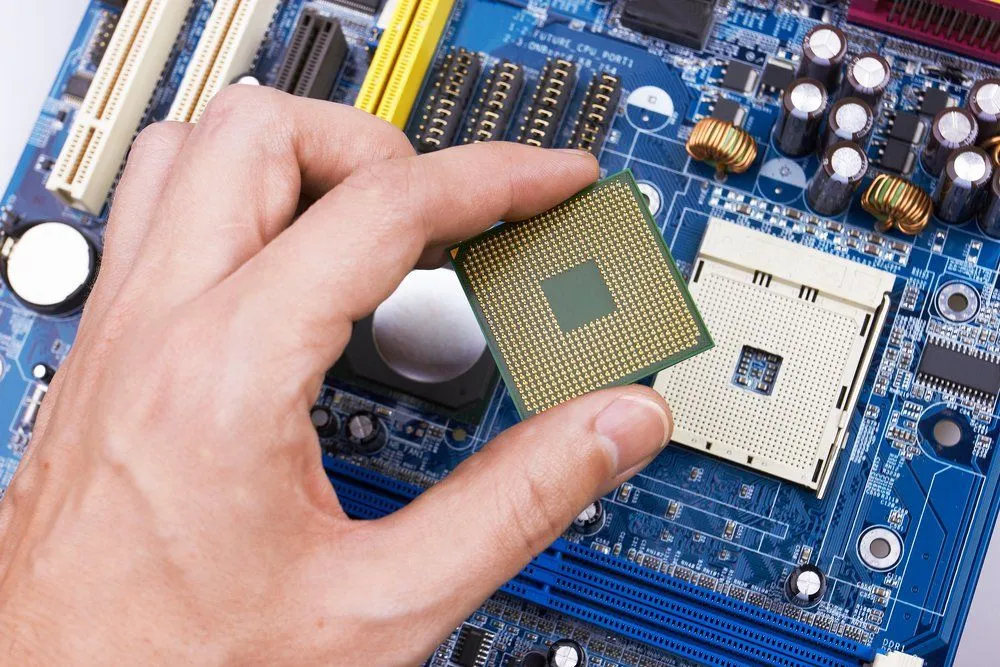
Also referred to as the CPU – Central Processing Unit, this is the most critical part of the cabinet. This is where everything you do on your computer is processed.
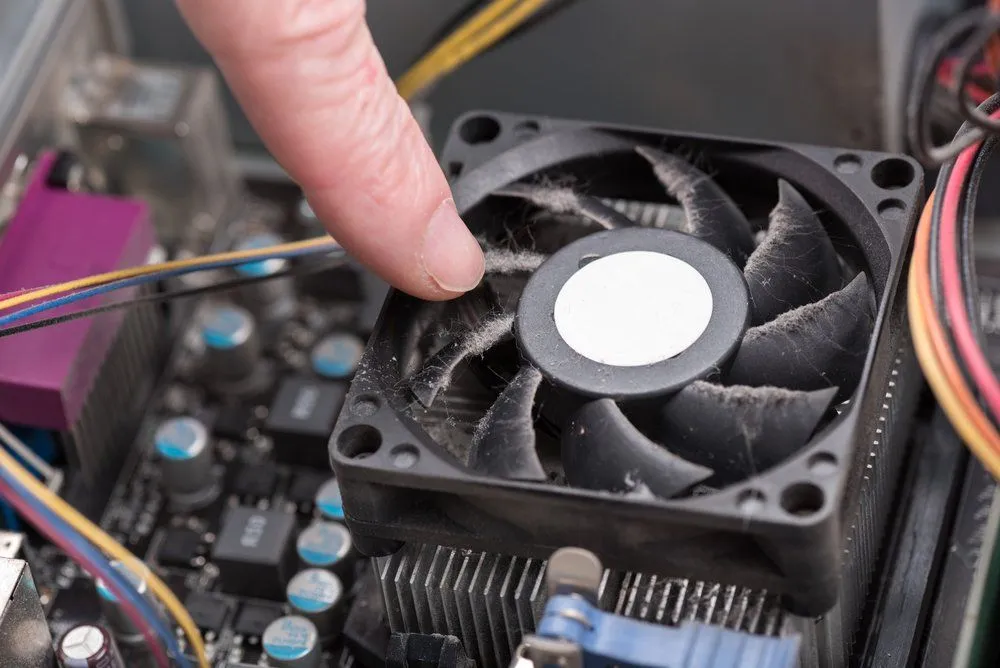
However, you will not be able to see it at first glance when you open the cabinet, as usually, a fan and a heatsink are attached to the processor to ensure that it does not overheat.
Intel and AMD are two leading processor manufacturers that bring new variants of existing processors to the market every few months.
Do the names Core i5, Core Ultra 7, and Ryzen 9 sound familiar?
Motherboard
This board takes up most of the visible space inside the cabinet. It is also called a mainboard, mobo, MB, system board, etc., and forms the basis of every computer.
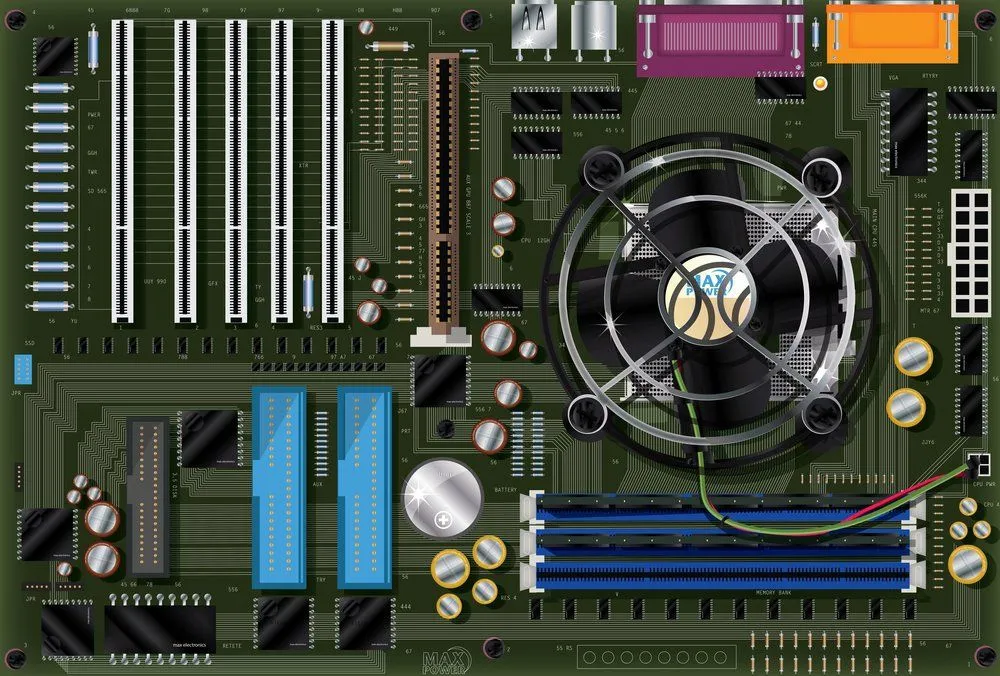
The motherboard supplies power to the processor, RAM, hard disk, and other hardware components. It houses every wire and connector you can see inside the case. It also houses the famous RAM (Random Access Memory), also known as primary memory. The motherboard also houses other important components such as graphics cards, LAN cards, etc.
Now you know why it’s known as the “parent body”… it takes care of everything!
As with processors, manufacturers bring out different variants of motherboards to accommodate different functionalities; a particular processor is only compatible with certain motherboards, and vice versa.
Storage (SSD and Hard Drive)

This is where all your files, applications, and the operating system itself are stored. Modern desktops typically use a Solid State Drive (SSD) as their primary storage. The most common type today is the NVMe M.2 SSD — a small, rectangular stick (about 80mm long) that plugs directly into the motherboard. SSDs have no moving parts, which makes them much faster, quieter, and more durable than traditional hard drives.
Some desktops also include a traditional Hard Disk Drive (HDD) for additional bulk storage. HDDs are the larger, heavier metal boxes (measuring 2.5” or 3.5”) that use spinning magnetic platters to store data. While slower than SSDs, they remain cost-effective for storing large amounts of data.
All the information on these drives is stored permanently and can be accessed, modified, or deleted as needed. Not surprisingly, people are absolutely obsessed with protecting their storage drives; they’re like a bank safe for your computer!
Power Supply
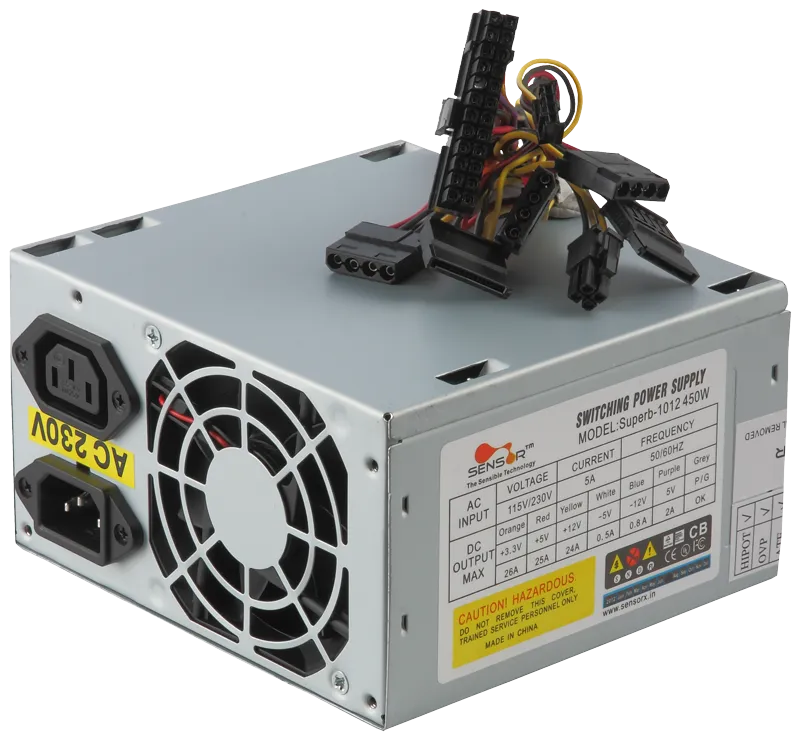
Also known as the SMPS – Switched Mode Power Supply, or PSU – Power Supply Unit, is the part of the enclosure that supplies power to every single component within the enclosure. It converts the alternating current from your wall outlet (typically 100-240 V, depending on your country) into the low-voltage direct current that the computer's components can use. It is typically located at the top or bottom of the enclosure (most modern cases mount it at the bottom) and is equipped with a fan to prevent overheating.
There are also other parts in the cabinet, such as an optical drive (for CDs and DVDs, though many modern PCs omit this entirely), expansion cards, and many wires. Still, these four components are the most important you will find in any computer tower, and they are easily recognizable.
A Word Of Caution
If you open your cabinet after a really long time, the first thing you might expect to lay your eyes on is a lot of dirt and cobwebs (probably).
Computer towers tend to attract dust particles due to the presence of fans. If they are not cleaned for a long time, their interior will become quite dusty.
Of course, cleaning your computer tower regularly is a good idea. Even if you are unsure how to open the cabinet, it is always better to ask more experienced people who can help you safely explore and clean the interior of your computer tower.
Last Updated By: Ashish Tiwari